Quick answer
How do you use negative keywords in Google Ads?
To use negative keywords in Google Ads, open the search terms report, find searches that do not match what you sell, and add the wrong words as negatives at the campaign, ad group or account level. Pick the right negative match type, group common negatives into shared lists, and review new search terms every week.
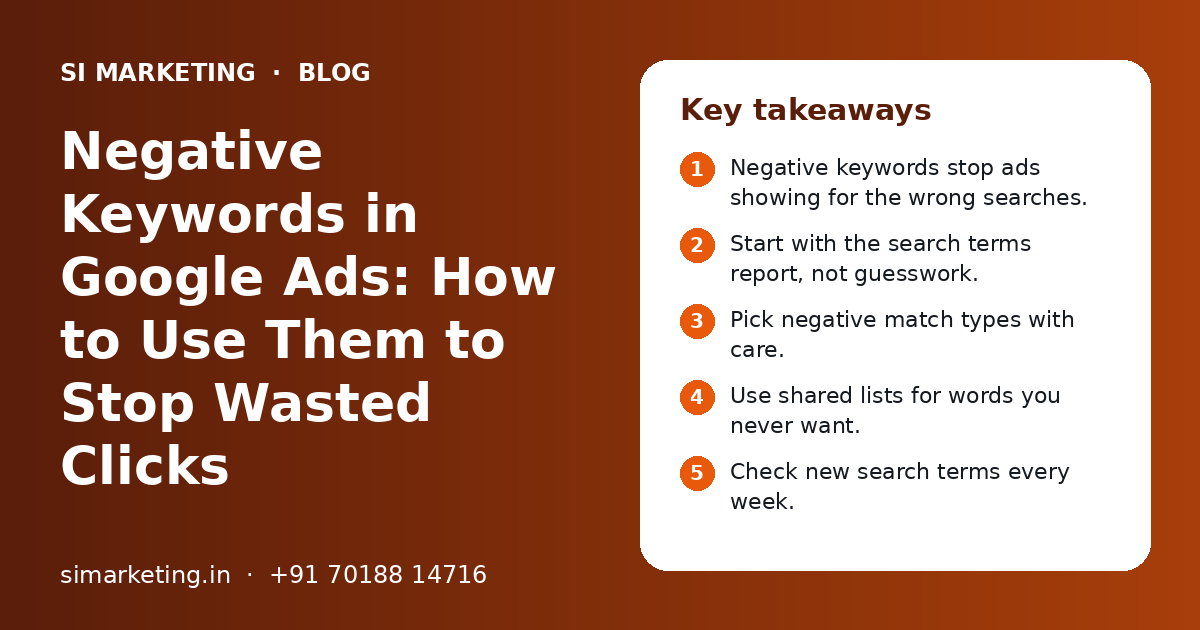
Key takeaways
- Negative keywords stop ads showing for the wrong searches.
- Start with the search terms report, not guesswork.
- Pick negative match types with care.
- Use shared lists for words you never want.
- Check new search terms every week.
- Never block words your buyers actually use.
What are negative keywords in Google Ads?
Negative keywords are words or phrases you tell Google Ads to avoid. If a search contains a negative keyword, your ad will not show for that search.
Normal keywords tell Google when to show your ad. Negative keywords do the opposite. They act like a filter. Learning how to use negative keywords in Google Ads is one of the fastest ways to cut waste, because you stop paying for clicks from people who were never going to buy.
Here is a simple example. A coaching institute that sells paid courses bids on "IELTS coaching". Without negatives, the ad may show for "IELTS coaching jobs", "free IELTS coaching" or "IELTS coaching PDF download". Those people want a job, a free class or a file. Adding "jobs", "free" and "PDF" as negatives stops those clicks.
Negative keywords are part of good account care. Our Google Ads management page explains how they fit with bids, ads, tracking and landing pages.
Why do negative keywords matter for small businesses?
Negative keywords matter because a small budget cannot afford wasted clicks. Each wrong click takes money that could have reached a real buyer.
Google matches your keywords to many searches, not just the exact words you typed. Broad match in particular can show your ad for searches that are only loosely related. That reach can help, but it also brings searches you do not want.
- They save budget by blocking clicks from people who cannot buy from you.
- They improve lead quality, so your sales team spends less time on junk enquiries.
- They make your data cleaner, so bidding and reports reflect real buyers.
If your account gets clicks but few leads, wrong searches are often one of the causes. Our post on Google Ads clicks with no conversions covers the other common reasons.
How do negative match types work?
Negative keywords have three match types: negative broad, negative phrase and negative exact. Each one blocks a different range of searches, so the choice decides how much you filter.
One important difference: normal keywords also match close variants such as plurals and spelling mistakes. Negative keywords usually do not. If you want to block both "job" and "jobs", add both.
| Negative match type | How you write it | What it blocks | Example (negative: free course) |
|---|---|---|---|
| Negative broad | free course | Searches that contain all the words, in any order | Blocks "course free online" and "free digital marketing course" |
| Negative phrase | "free course" | Searches that contain the exact words in the same order | Blocks "free course online", not "course for free" |
| Negative exact | [free course] | Only the exact search, with no extra words | Blocks "free course" only |
Which match type should you choose?
- Use a single word in negative broad for words that are never right for you, such as "jobs", "salary" or "PDF".
- Use negative phrase when the words are fine alone but wrong together, such as "second hand" for a seller of new products.
- Use negative exact when you only want to block one search and keep its longer versions, such as a competitor brand name on its own.
How do you find negative keywords? A step-by-step method
Find negative keywords by reading your search terms report, listing searches that do not fit your business and pulling out the word that makes each one wrong. Then add that word, not the full search.
- 1
Open the search terms report
In Google Ads, go to Insights and reports, then Search terms. Pick a date range of at least the last 30 days, or longer for small accounts.
- 2
Sort by cost
Start with the searches that spent the most money. Fixing a few costly ones saves more than fixing many cheap ones.
- 3
Mark each search as good, wrong or unsure
Ask one question: could this person buy from us? If the answer is clearly no, mark it as wrong.
- 4
Find the word that makes it wrong
In "digital marketing course fees free", the problem word is "free". Block "free", not the whole search, so you catch future versions too.
- 5
Choose the match type
Use negative broad for clear junk words, phrase for wrong word pairs and exact for one specific search.
- 6
Choose the level
Decide if the word is wrong for one ad group, one campaign or the whole account.
- 7
Add it and write it down
Add the negative and note why you added it. A simple sheet with date, word and reason helps when you review later.
How do you add negative keywords in Google Ads?
You can add negative keywords straight from the search terms report, from the keywords section of a campaign, or through a shared negative keyword list. All three reach the same result.
From the search terms report
Tick the box next to a wrong search and choose the option to add it as a negative keyword. Pick the ad group, campaign or list. Before you save, edit the text so only the problem word remains, and set the match type you want.
From the keywords section
Open a campaign, go to Keywords, then Negative keywords. Click the plus button, choose the campaign or ad group, and type one negative per line. Use quote marks for phrase match and square brackets for exact match.
Through shared lists
Go to Tools, then Shared library, then Negative keyword lists. Create a list, add your words and apply the list to any campaigns you choose. When you update the list later, every linked campaign gets the change.
Need help with your project?
Talk to the SI Marketing team. Free first call, simple advice, clear quote.
At which level should you add negative keywords?
Add negatives at the narrowest level where the word is always wrong. A word that is wrong everywhere goes at account level or in a shared list. A word that is only wrong for one ad group stays in that ad group.
| Level | Best used for | Example |
|---|---|---|
| Ad group | Sending searches to the right ad group inside a campaign | Block "implant" in the general dentist ad group, so implant searches go to the implant ad group |
| Campaign | Words that are wrong for one campaign but fine for another | Block "wholesale" in the retail campaign but not in the B2B campaign |
| Shared list | Groups of words used across many campaigns | A "jobs and careers" list applied to all Search campaigns |
| Account level | Words you never want, in any campaign | Adult terms or words linked to illegal products |
What are common negative keyword ideas for Indian businesses?
Common negatives in India include job words, free and download words, learning words and words for products you do not sell. But every business is different, so check each word before you add it.
Jobs and careers
jobs, vacancy, salary, hiring, internship, naukri, fresher, resume
Free and downloads
free, PDF, download, template, sample, crack, torrent
Learning and DIY
course, tutorial, how to make, at home, project report, wikipedia
Wrong product type
second hand, used, rent, repair, spare parts, toy, cheap copy
Wrong location
Cities or states you do not serve, if your location settings still let them through
Research only
meaning, definition, essay, images, wallpaper, logo
Indian searches also mix languages. People may type in Hinglish, such as "sasta" or "free mein". If your ads run in English and Hindi, check search terms in both and add negatives for each.
How do negative keywords work with Performance Max and Shopping?
Shopping campaigns accept negative keywords in the same way as Search. Performance Max now also supports negatives, but the options have changed over time, so check what your account shows.
Shopping campaigns have no normal keywords. Google matches searches to your product feed. This makes negatives even more important. Without them, a shop selling premium leather bags may show for "leather bag repair near me". See our Google Shopping ads page for how feeds and negatives work together.
Performance Max runs across Search, YouTube, Display and more from one campaign. Google has added account-level negative keywords and, more recently, campaign-level negatives for these campaigns. Our Performance Max campaigns page explains how we set these up.
What mistakes should you avoid with negative keywords?
The biggest mistakes are blocking words your buyers use, adding too much too fast and never checking for conflicts. Most of these come from adding negatives without looking at real data.
| Mistake | What happens | Better approach |
|---|---|---|
| Blocking "price" or "cost" | You lose people who are ready to buy and comparing options | Keep these words. They often show strong intent |
| Negative broad on a common word | One word can block many good searches | Use phrase or exact match for risky words |
| Negative that matches your own keyword | Your keyword stops showing at all | Check for conflicts after each change |
| Adding the full search instead of the problem word | Only that one search is blocked | Add the single word that makes it wrong |
| Forgetting plurals and spellings | The other version still gets through | Add both forms, such as job and jobs |
| Setting negatives once and forgetting | New wrong searches keep costing money | Review the search terms report every week |
If you are not sure whether a change helped, you need clean tracking. Our marketing analytics service sets up conversion tracking so you can see the real effect.
How often should you review negative keywords?
Review search terms every week in active accounts and at least every two weeks in small ones. Review your full negative lists every few months to remove words that no longer fit.
- Read new search terms sorted by cost
- Add negatives for clear junk searches
- Check that no negative blocks a live keyword
- Look at keywords marked as limited or low volume
- Update shared lists when you add or stop a service
- Keep a log of what you added and why
This weekly care is a core part of our PPC management work. SI Marketing is powered by Shivah Web Tech, a Google Partner team with 11+ years of experience and 500+ projects. If you want us to review your account and its negatives, you get a clear quote after a free call.
Frequently Asked Questions
How many negative keywords should a Google Ads account have?
There is no right number. A small local account may need a few dozen negatives, while a large account with broad match keywords may need hundreds. What matters is that each negative is based on real search terms and does not block good searches. Start with a core list of clear junk words, then add more as your search terms report shows new problems.
Can negative keywords hurt my Google Ads results?
Yes, if you add the wrong ones. A negative keyword can block searches from real buyers, or even stop one of your own keywords from showing. Common examples are blocking words like price, cost or near me. Check every new negative against your live keywords and watch impressions and leads for a week or two after big changes.
What is the difference between a negative keyword and a negative keyword list?
A negative keyword is a single word or phrase you block. A negative keyword list is a saved group of negatives in the shared library that you can apply to many campaigns at once. Lists save time, because when you update the list, every campaign linked to it gets the change. Use lists for words that are wrong across your whole account.
Do negative keywords block plurals and misspellings?
Usually not. Normal keywords match close variants such as plurals and common misspellings, but negative keywords do not expand in the same way. If you want to block both job and jobs, or a word and its common misspelling, you need to add each version as its own negative keyword. Check your search terms report to see which versions people really use.
Where do I find search terms to use as negative keywords?
In Google Ads, open Insights and reports and then Search terms. This report lists the real searches that triggered your ads, with clicks, cost and conversions. Sort by cost, read each search and mark the ones that could never lead to a sale. Some low-volume searches are hidden for privacy, so not every search will appear in the report.
Can I use negative keywords in Performance Max campaigns?
Yes. Google now allows negative keywords for Performance Max through account-level negatives and campaign-level negatives, and you can also use brand exclusions. The exact options can change, so check the settings in your own account. Because Performance Max runs across many Google channels, negatives mainly affect its Search and Shopping placements, not every place your ads appear.
Is it better to manage negative keywords myself or hire an agency?
You can manage negatives yourself if you check your search terms every week and know your customers well. Many owners start well but fall behind when they get busy. An agency makes sense when your budget is growing, the account has many campaigns, or you see high spend with poor leads. Ask any agency to show you how and how often they review search terms.