Quick answer
What should a business share with a digital marketing agency during onboarding?
A digital marketing agency onboarding checklist covers five things: your business goals and offers, brand files, safe access to your ad accounts, website and analytics, a working tracking setup, and clear rules for lead handling, approvals and reports. Give access as users or partners, not passwords, so you stay the owner of every account and all data.
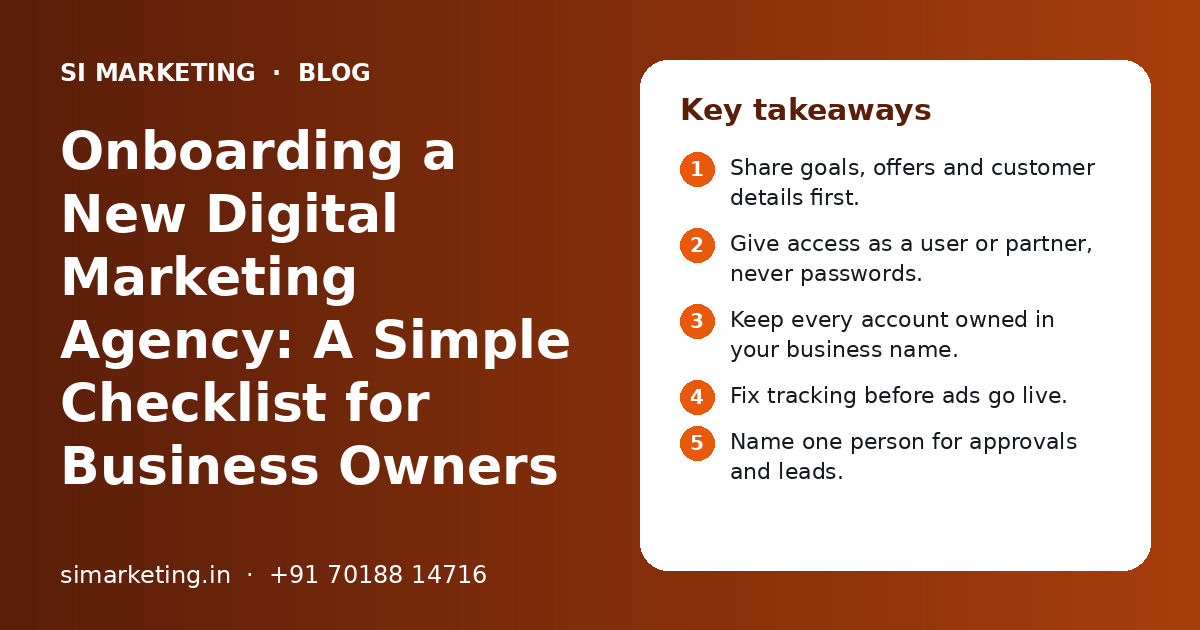
Key takeaways
- Share goals, offers and customer details first.
- Give access as a user or partner, never passwords.
- Keep every account owned in your business name.
- Fix tracking before ads go live.
- Name one person for approvals and leads.
- Agree on reports and meetings in week one.
What is a digital marketing agency onboarding checklist?
A digital marketing agency onboarding checklist is a list of everything your business must share, set up and agree on so a new agency can start work quickly and safely. It turns the first few weeks from a chain of emails into a clear plan.
This guide is written for small and mid-sized Indian businesses. It works whether you hire us or any other agency. If you have not chosen an agency yet, start with our post on questions to ask a digital marketing agency.
Why does agency onboarding matter so much?
Good onboarding saves money because ads only run once tracking, offers and lead handling are ready. Poor onboarding means the agency guesses, and guessing costs budget.
With a clear onboarding
- Campaigns go live sooner and with fewer errors
- Every lead and sale is tracked from day one
- You keep ownership of accounts and data
- Both sides know who approves what and by when
Without a clear onboarding
- Weeks lost waiting for logins and files
- Ad money spent with no way to see results
- Accounts created in the agency's name, which you may lose later
- Confusion about reports, targets and next steps
What business information should you share with your agency first?
Share your goals, your main offers, your ideal customers and how you sell. This is the base for every ad, post and page the agency will make.
Business details to prepare
- Your main goal for the next three to six months, such as more enquiries, online orders or store visits
- Your top products or services, and which ones give the best margin
- Price range or starting price, so ads attract the right buyers
- Areas, cities or countries you serve, and areas you do not serve
- Your ideal customer: age group, job, business type, language and buying reasons
- Your main competitors and what you do differently
- Busy and slow seasons, including festivals like Diwali, Navratri or Eid if they matter for you
If you are not sure about your goals, a short planning session helps. Our marketing strategy work turns these answers into a channel plan and a 90-day roadmap.
Which brand files and content should you hand over?
Hand over your logo, brand colours, fonts, real photos and videos, and any past ads or posts that worked. Good creative material lets the agency make ads that look like your brand from day one.
| Item | Why the agency needs it | Tips |
|---|---|---|
| Logo files | For ads, posts, banners and landing pages | Share high-quality PNG and the original design file if you have it |
| Brand colours and fonts | To keep every design consistent | Share colour codes, or a brand guide if one exists |
| Real photos | Real images of your team, shop, products or work build trust | Share recent, well-lit photos, shot on a good phone if needed |
| Videos and reels | Video often works well in Meta and YouTube ads | Raw clips are fine; the agency can edit them |
| Reviews and testimonials | Proof for ads and landing pages | Only use real reviews, with permission where needed |
| Past ads and posts | Shows what has worked or failed before | Include results if you have them |
Put all of this in one shared folder, such as Google Drive, and give the agency view or edit access. Do not email files one by one. It gets lost fast.
How should you give an agency access to your accounts safely?
Give access by adding the agency as a user or partner inside each platform. Do not share your passwords. This way you stay the owner, you can see what they do, and you can remove them in one click if you part ways.
| Platform | How to give access | What you keep |
|---|---|---|
| Google Ads | Accept a link request from the agency's manager account, or add their email as a user | Admin access on your own account |
| Google Analytics 4 | Add their email in property access management with Editor or Marketer role | Administrator role |
| Google Search Console | Add them as a full or restricted user | Owner status |
| Google Business Profile | Add them as a manager | Primary owner status |
| Meta Business Portfolio | Add the agency as a partner and assign the Page, ad account and dataset (Pixel) | Full control of the portfolio |
| Instagram and Facebook Page | Assign through the Meta Business Portfolio, not by sharing login | Ownership through your portfolio |
| Website (WordPress) | Create a separate user with the role they need | Your own administrator login |
| Website (Shopify) | Approve a collaborator request or add a staff account | Store owner account |
Ask the agency to share the list of access they need before they start. Then give only that. A social media team may not need website admin rights, and an SEO team may not need your ad account.
Read more about ownership in our Google Ads and Meta Ads service pages. Both explain why we always run ads inside accounts that belong to the client.
Need help with your project?
Talk to the SI Marketing team. Free first call, simple advice, clear quote.
Who should own the ad accounts, pages and data?
Your business should own every account, page, pixel and data set. The agency should work inside them as a user or partner. This is the single most important point in any onboarding.
Some agencies create ad accounts or pages in their own name to save time. It feels easy at first. But if you change agencies later, you may lose your ad history, audiences, reviews and followers. Rebuilding them takes months.
- Create ad accounts in your own business name, with your GST details where needed
- Pay ad spend from your own card or billing profile, so the platform bills you directly
- Keep the domain name and hosting in your name, with your email as the main contact
- Make sure your Google Business Profile has you as primary owner
- Register the WhatsApp Business number in your business name
- Keep a simple sheet of every account, who owns it and who has access
What tracking should be ready before ads go live?
Before any ad goes live, you should be able to count every enquiry, call, WhatsApp chat and sale. Without tracking, you cannot tell which ads make money and which waste it.
- 1
Decide what counts as a result
Write down your main actions, such as form fills, calls, WhatsApp clicks, bookings or purchases.
- 2
Check Google Analytics 4
Make sure GA4 is installed on every page and records your key actions as key events.
- 3
Set up ad platform tracking
Install the Meta Pixel with the Conversions API, and Google Ads conversion tracking, then test each event.
- 4
Add a thank-you page or event
Forms should lead to a thank-you page or send an event, so each submission is counted once.
- 5
Track calls and WhatsApp
Count call button clicks and WhatsApp clicks, and ask staff to note the source of phone leads.
- 6
Use UTM tags on every link
Tag links in ads, emails and social posts so you can see the source of each visit.
- 7
Test everything once
Fill a form, click to call and place a test order. Check that each one shows up in reports.
Our marketing analytics team handles this setup. You can also read our step-by-step guide on how to use UTM links to track campaigns.
How should leads be handled once campaigns start?
Decide who receives each lead, how fast they reply and where every lead is recorded. Even the best ads fail if leads sit unanswered for a day.
- One person or team named to receive new leads, with a backup for leave days
- Instant alerts for new leads by email, WhatsApp or a CRM app
- A target reply time during working hours, such as within a few minutes
- Short WhatsApp message templates for first replies
- One sheet or CRM where every lead is saved with its source
- A simple status for each lead: new, contacted, interested, won or lost
- A reason noted for every lost lead, such as price, location or no answer
- A weekly feedback note to the agency on lead quality
Lead feedback helps the agency move budget to ads that bring buyers. Our WhatsApp marketing and marketing automation services can set up alerts, templates and lead sheets for you.
What should you agree on for approvals, reports and meetings?
Agree on one point of contact, a time limit for approvals, the main numbers in each report and a fixed meeting rhythm. Clear rules stop work from getting stuck.
Approvals
Name one person on your side who can approve ads, posts and budgets. Agree on how fast they will reply, for example within one or two working days. Slow approvals are a common reason campaigns go live late.
Reports
Ask for reports that show business results, not only clicks and likes. A useful report shows spend, leads, cost per lead, sales where tracked, what was tested and what will change next. Our post on how to measure digital marketing ROI explains which numbers matter.
Meetings
| Meeting | How often | What to cover |
|---|---|---|
| Kick-off call | Once, at the start | Goals, access list, timeline, roles and first campaign plan |
| Short check-in | Weekly or every two weeks | Lead quality, approvals pending, quick fixes |
| Monthly review | Monthly | Results against targets, budget split, next month plan |
| Quarterly planning | Every three months | Bigger changes, new channels, seasonal campaigns |
What onboarding mistakes should business owners avoid?
The most common mistakes are sharing passwords, letting the agency own accounts, skipping tracking and having no clear lead process. Each one is easy to avoid if you know about it.
- Sharing your main Gmail or Facebook password instead of adding users
- Letting the agency create ad accounts or pages in their own name
- Starting ads before forms, calls and WhatsApp clicks are tracked
- Not telling the agency about past account bans, policy warnings or disputes
- Expecting big results in the first week, before testing is done
- No written scope, so both sides remember the deal differently
A good agency will guide you through onboarding. If an agency asks for passwords, avoids written scope or refuses to work in your accounts, treat that as a warning sign.
SI Marketing is powered by Shivah Web Tech, with 11+ years of experience, a 25+ member in-house team and 500+ projects. Our parent team is a Google Partner and a Meta Business Partner. We run a structured onboarding for every client. Our fee depends on your goals, channels and content needs, and you get a clear quote after a free call. Reach us from our contact page, Mon to Fri, 9:30 to 6:30 IST.
Frequently Asked Questions
What does a digital marketing agency need from me before starting?
An agency usually needs your business goals, main products or services, price range, target areas, ideal customer details, brand files such as logo and photos, and access to your ad accounts, website, analytics and social pages. It also needs one contact person for approvals and a clear process for handling leads. Preparing these in one shared folder can save a lot of back and forth.
Should I give my agency my Facebook or Google password?
No. Add the agency as a user or partner instead. In Meta Business Portfolio you can add them as a partner and assign your Page and ad account. In Google Ads, Analytics, Search Console and Business Profile you can add their email with the right role. You keep ownership, two-step login stays on and you can remove access at any time.
Who should own the Google Ads and Meta ad accounts?
Your business should own them. The accounts should be created in your business name, billed to your card or billing profile, and shared with the agency through user or partner access. If the agency owns them, you may lose your ad history, audiences and data when you change agencies. Keeping ownership protects years of learning that your campaigns build up.
What should be discussed in the first kick-off meeting with an agency?
Cover your goals and targets, main offers, target customers, the list of access needed, tracking plan, who approves work, how leads will be handled, report format and meeting rhythm. Also agree on the first campaigns to launch and what will be tested. End the meeting with a shared task list and dates for each item.
Do I need tracking set up before running ads?
Yes, it is strongly advised. Without tracking, you can see clicks but not which ads bring enquiries or sales. At least set up Google Analytics 4, the Meta Pixel with Conversions API if you run Meta ads, Google Ads conversion tracking if you run Google ads, and tracking for forms, calls and WhatsApp clicks. Test each one before launch.
How do I remove an agency's access if we stop working together?
If you gave access as users or partners, removal is simple. Remove the partner from your Meta Business Portfolio, unlink the manager account or remove users in Google Ads, and remove their email from Analytics, Search Console, Business Profile and your website. Then change any shared passwords and check that no unknown users remain in each account.