Quick answer
What are the most common Meta Ads mistakes small businesses make?
The most common Meta Ads mistakes small businesses make are boosting posts instead of using Ads Manager, running ads without the Pixel or Conversions API, picking the wrong campaign goal, using weak or stale creatives, targeting too narrowly, changing campaigns too often and replying to leads late. Each one is simple to fix once you know it.
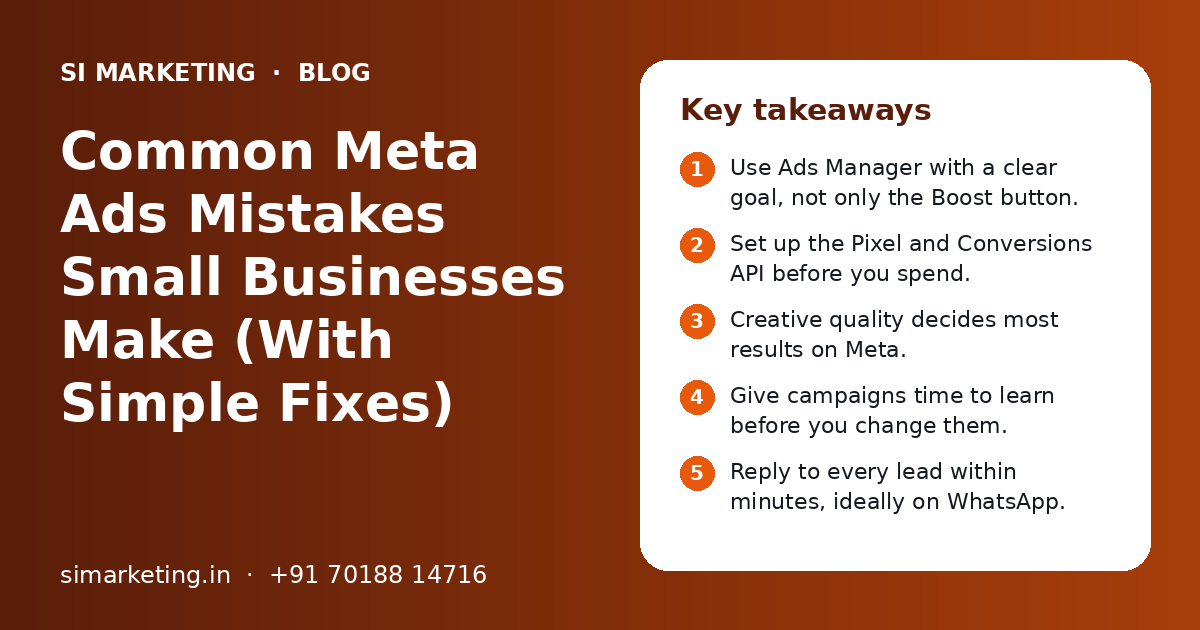
Key takeaways
- Use Ads Manager with a clear goal, not only the Boost button.
- Set up the Pixel and Conversions API before you spend.
- Creative quality decides most results on Meta.
- Give campaigns time to learn before you change them.
- Reply to every lead within minutes, ideally on WhatsApp.
- Judge ads by cost per sale, not likes or cheap leads.
What are the most common Meta Ads mistakes small businesses make?
The most common Meta Ads mistakes small businesses make fall into four groups: weak setup, wrong goal, poor creatives and poor follow-up.
Meta Ads means paid ads on Facebook, Instagram, Messenger and WhatsApp, run from Meta Ads Manager. The tools are easy to open, but small errors at the start can quietly waste budget.
Below we go through each mistake, why it hurts, and what to do instead. If you want an expert to run it for you, see our Meta Ads service page.
Which Meta Ads mistakes waste the most money?
The mistakes that waste the most money are missing tracking, the wrong campaign goal and slow replies to leads. These three can make even good ads look like failures.
| Mistake | What you see | Simple fix |
|---|---|---|
| Only boosting posts | Likes and views, but few enquiries | Run campaigns in Ads Manager with a sales, leads or messages goal |
| No Pixel or Conversions API | You cannot tell which ad brought a sale | Install both and test events before spending |
| Wrong campaign goal | Cheap clicks or views, no buyers | Pick the goal that matches the action you want |
| Weak or old creatives | Costs rise and results fall over time | Test new images, reels and hooks on a steady schedule |
| Audience too narrow | Ads do not spend or cost a lot per result | Use broader audiences and let creative do the filtering |
| Changing ads every day | Results jump up and down with no pattern | Make fewer, planned changes and let ads learn |
| Slow reply to leads | Leads say they found someone else | Reply within minutes with alerts and WhatsApp templates |
| Judging by likes or cheap leads | Many leads, few sales | Track cost per qualified lead and cost per sale |
Why is boosting posts a mistake for most small businesses?
Boosting a post is not always wrong, but it gives you very few controls. For leads and sales, a campaign built in Ads Manager almost always gives you better control and clearer data.
When boosting can be fine
- You want more people to see a festival greeting or a store opening post
- You are testing which organic post people like before turning it into an ad
- You have a very small budget and only want local reach for a short time
Why Ads Manager is usually better
- You can choose a clear goal such as leads, messages or sales
- You can test several creatives and audiences side by side
- You get better control over placements, schedule and budget
- You can build retargeting and lookalike audiences properly
A simple rule: if you want enquiries or orders, build the campaign in Ads Manager. If you only want reach for a post, a boost can be enough. Our Facebook marketing team handles both organic posts and paid campaigns, so they work together.
What tracking mistakes do small businesses make with Meta Ads?
The biggest tracking mistake is running ads with no Meta Pixel, no Conversions API and no way to link a lead to a sale. Without tracking, Meta cannot learn who your buyers are, and you cannot see what works.
The Meta Pixel is a small code on your website that tells Meta when someone views a page, adds to cart, fills a form or buys. The Conversions API sends the same events from your server. Using both gives Meta more complete data, as some browser data gets blocked.
Common tracking errors
- Pixel installed, but no events set up for leads or purchases
- The same purchase counted twice because events are not de-duplicated
- Thank-you page missing, so form submissions are never recorded
- WhatsApp chats and phone calls not counted anywhere
- No UTM tags, so Google Analytics shows Meta traffic under the wrong source
- Leads from Meta lead forms left inside Meta and never moved to a sheet or CRM
Our marketing analytics work sets this up so you can see which ad, audience and creative brought real enquiries and sales.
Are you choosing the wrong campaign goal on Meta?
Many small businesses choose traffic or engagement because the results look cheap. But Meta gives you what you ask for, so a traffic goal brings clicks and an engagement goal brings likes, not buyers.
| Your real aim | Campaign goal to consider | Watch out for |
|---|---|---|
| Online orders | Sales, with purchase events tracked | Needs a working Pixel and Conversions API |
| Enquiries on a form | Leads, with a website form or instant form | Instant forms are easy to fill, so filter for quality |
| WhatsApp chats | Engagement or leads with click-to-WhatsApp | Someone must reply fast, even on Sundays if you can |
| Store visits or calls | Awareness or leads with a call button | Calls must be tracked or noted by staff |
| Brand reach before a launch | Awareness | Do not expect direct sales from this alone |
If you are not sure which goal to pick, start with the action closest to money that you can track. Our guide on Google Ads vs Meta Ads also explains where Meta fits best.
Need help with your project?
Talk to the SI Marketing team. Free first call, simple advice, clear quote.
What creative mistakes stop Facebook and Instagram ads from working?
Weak creatives are one of the biggest reasons Meta Ads fail. On Facebook and Instagram, people are not searching for you, so the image or video must stop their scroll in the first moment.
Many small businesses use one product photo with a long paragraph of text, and run it for months. Over time the same people see it again and again, stop noticing it, and costs go up. This is called ad fatigue.
Creative mistakes to avoid
- Using only one image or one video, with no variations to test
- No clear hook in the first few seconds of a reel
- No clear offer, price range or next step in the ad
- Using only English when your buyers prefer Hindi, Punjabi or another Indian language
- Square images placed in stories and reels without a vertical version
What good creatives usually include
A clear hook, the product in use, a simple benefit, proof such as reviews, and one call to action. Real photos and short phone videos often do well because they look honest.
Plan to test new creatives on a steady schedule. Our Instagram marketing and video marketing teams make reels and images built for ads, not just for the feed.
What audience and targeting mistakes do small businesses make?
The most common targeting mistake is making the audience too small by stacking many interests, ages and filters. A tiny audience gives Meta little room to find buyers and often makes each result cost more.
- Location too wide, such as all of India for a shop that serves one city
- Location too tight, such as a tiny radius with very few people in it
- Many interests stacked together until the audience is very small
- Excluding past buyers when you actually want repeat orders
- No retargeting of website visitors, video viewers or Instagram engagers
Retargeting is often one of the most useful parts of a small budget. Read more on our remarketing ads page.
Why does changing Meta Ads too often hurt results?
Every big change, such as a new audience, a large budget jump or a new goal, can send a campaign back into a learning phase. If you change things every day, the campaign never settles and results stay unstable.
- 1
Set a clear test period
Decide before launch how long you will run the ads before judging them. A few days is usually too short.
- 2
Change one thing at a time
If you change the creative, audience and budget together, you will not know what made the difference.
- 3
Raise budgets in small steps
Large jumps can unsettle delivery. Small, steady increases are safer.
- 4
Add new creatives instead of editing live ones
Editing a running ad can reset its learning. Adding a fresh ad is often cleaner.
- 5
Review weekly, not hourly
Look at a full week of data and compare cost per qualified lead or cost per sale.
This planned approach is how our performance marketing team manages accounts.
What follow-up and landing page mistakes waste Meta Ads leads?
Many Meta leads are lost after the ad has done its job. Slow replies, a slow website and a confusing landing page turn interested people away.
Follow-up fixes
- Send new leads to a CRM or sheet automatically, with an instant alert to the team
- Reply within minutes with a short WhatsApp message, using an approved template
- Call at a time that suits the lead, and try more than once
- Add one or two qualifying questions to instant forms, such as city or budget range
- Note why each lead did not buy, so you can improve the ads
Landing page fixes
- One page per offer, with the same message as the ad
- Fast loading on mobile data
- A short form or a clear WhatsApp button
- Trust signals such as reviews, GST details and a real address
- UPI and cash on delivery options clearly shown if you sell online
Our WhatsApp marketing and conversion rate optimization services fix these gaps so the leads you pay for get a fair chance to buy.
How can you check your Meta Ads account for these mistakes?
Run a simple monthly self-check. It takes less than an hour and shows most problems before they waste much money.
- Is every campaign built in Ads Manager with a clear goal?
- Do the Pixel and Conversions API both send the key events, without double counting?
- Are leads from forms and WhatsApp landing in one sheet or CRM?
- Are you testing at least a few different creatives in each campaign?
- Is someone replying to new leads within minutes during working hours?
- Do you know your cost per qualified lead and cost per sale, not just cost per lead?
- Does the ad follow Meta's ad policies, especially for health, finance and property?
If several answers are no, a professional audit can save money. SI Marketing is powered by Shivah Web Tech, with 11+ years of experience, a 25+ member in-house team and 500+ projects. Our parent team is a Meta Business Partner and a Google Partner. Our fee depends on your goals, platforms and creative needs, and you get a clear quote after a free call. Reach us from our contact page, Mon to Fri, 9:30 to 6:30 IST.
Frequently Asked Questions
Why are my Facebook ads getting clicks but no sales?
This usually happens when the campaign goal is set to traffic, when the landing page is slow or unclear, or when the ad and page show different offers. Meta finds people who click, not people who buy, if that is the goal you pick. Switch to a sales or leads goal, check that purchase or lead events are tracked, and make the page fast, simple and matched to the ad.
Is boosting a post on Instagram a waste of money?
Not always, but it is often not the best use of a small budget. Boosting usually brings likes, views and profile visits. That can help a festival post or a store opening. If you want enquiries, WhatsApp chats or online orders, a campaign in Meta Ads Manager gives you better control over the goal, audience, creatives and tracking, so each rupee works harder.
How often should I change my Meta ad creatives?
There is no fixed rule, as it depends on your budget and audience size. Watch frequency and results. When the same people see your ad many times and costs start rising, the creative is tired. Add fresh images, reels or hooks instead of editing live ads. Many small businesses plan to add new creatives on a regular schedule so they are never stuck with one tired ad.
Why are my Meta lead form leads poor quality?
Instant lead forms are very easy to fill, as the details are prefilled. Some people tap without real interest. To improve quality, choose the higher intent form type, add one or two qualifying questions such as city or budget range, state your price range or service area clearly in the ad, and call or message each lead within minutes. Track which ads bring leads that actually buy.
How long should I run Meta Ads before deciding if they work?
Give a campaign enough time and data to learn before judging it. A few days is usually too short, especially with a small budget. Decide a test period before you launch, track cost per qualified lead and cost per sale, and avoid big daily changes. If results are still poor after a fair test, change one thing at a time, starting with the offer and creative.
Why did Meta reject my ad or restrict my ad account?
Common reasons include claims that sound too good to be true, before and after images, health ads that suggest you know a person's condition, landing pages that do not match the ad, and missing special ad category settings for property, jobs or credit ads. Read Meta's advertising policies, fix the issue, and request a review from Account Quality. Avoid creating new accounts to get around a restriction.